
Limit
Limit the bandwidth of the interface or a packet stream.
An easy-to-use network simulation tool.
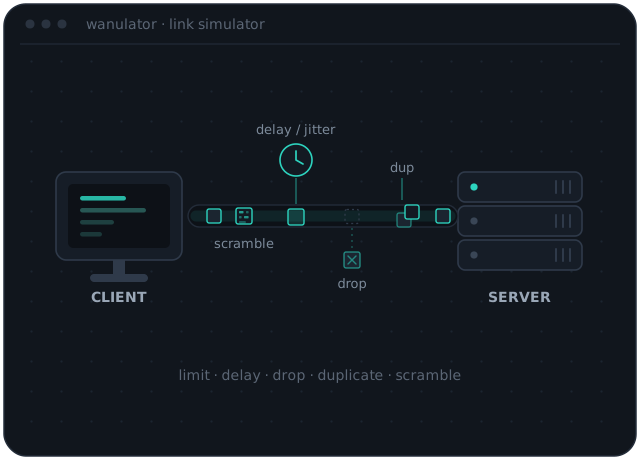
The name WANulator comes from "WAN" and "simulator", which sums up what the software does: it simulates different Internet conditions such as delay and packet loss, and emulates user access-line speeds like modem, ISDN or ADSL. For the full list of what it can simulate, see the feature list below.
WANulator is currently packaged as an ISO image based on Ubuntu LTS, so you get a full out-of-the-box experience: boot the ISO and any PC becomes a test system. The package already includes handy client software such as a web browser. If the PC has 2 network interfaces, it can also sit transparently in line between your server and your client (like a switch) with no configuration hassle. See the recommended setup in the documentation.
Limit the bandwidth of the interface or a packet stream.

Delay the packet stream, with either a static delay or jitter.

Simply throw packets away.

Duplicate packets in the stream.

Overwrite the contents of a packet with random data, starting from offset len bytes.

Many ways to apply the functions: by chance, statically, once, in bursts, by filter.
Running the simulation inside a virtual machine works in most cases. However, the way the VM is scheduled can cause inaccurate timing, so functions that depend on timing (such as delay or traffic shaping) may not behave correctly. We strongly recommend testing your setup (for example with netperf and ping) to verify it.
You can use any tool that creates live USB sticks, as long as it supports Linux (syslinux is what you are looking for). On Windows, I recommend Rufus.
Traffic shaping only applies to the outgoing data stream (up-stream) of an interface. To shape in both directions you need two interface cards (in either routed or switched mode) and apply a shaping function to the up-stream of each.
Shaping is done with a standard token-bucket shaper.
Please report it via the Contact section below.
Every function applies to the outgoing data stream on the interface it is assigned to.
This can happen, since it's hard to keep pace with new hardware and drivers. Two things you can try: tweak the boot parameters (e.g. to disable hotplugging; the relevant documentation lists the full set of options), or run WANulator inside a virtual machine, which should always work even on the latest hardware. Either way, I'd really appreciate a short note about which hardware gave you trouble.
One key goal for WANulator was an easy, out-of-the-box experience. A live ISO sidesteps problems like Linux kernel and other environment dependencies, and since test software like WANulator usually isn't needed day to day, a live ISO lets you turn any spare PC into a temporary test station in seconds.